







Zombie City Parking
By Game Votls
- 10
- 105
- Report a bug

Space Battle
Moto X3M Pool Party

Extreme Flip

Fighter Jet
Stick Arena 3D
Zombie Survival

Slope Run

Noob Vs Pro

Mad Warrior

Guns and Bottles
Zombie Attack

Jelly World

Whack-A-Mole
Breakout

Diamond Robber

Dragon Fish
Small Archer 2
Samsara

Shoot to Giant Bats

Fishing Frenzy Steam

Hero Box Jumping
Dark Knight Rider
G-Switch

Shovel Pirate
Back-Attacker
Zombie Survival
Retro Drift

Samurai Panda

9-Lives
Moto X3M

Make a Bridge and Go Get Diamond
G-Switch 2

Super Mario
Archer Hero

Go Panda

Cute Snake
Moto X3M

Rocket Pilot

Rolling Ball

Universal Adventure

Braw Hero

Classic Bowling

Christmas Holiday
Car Breaker
G-Switch 3
No More Rum
Dash Color Switch
Moto X3M Spooky Land

Alien on Earth

Flying Kid
Apocalypse Truck

Highway Hero

Hangman Animals

Brain Exercise Game
Baby Cat Adventures
Stickman Bridge Constructor
Ball Bounce Escape
Game Categories
Browse and play free online games by category


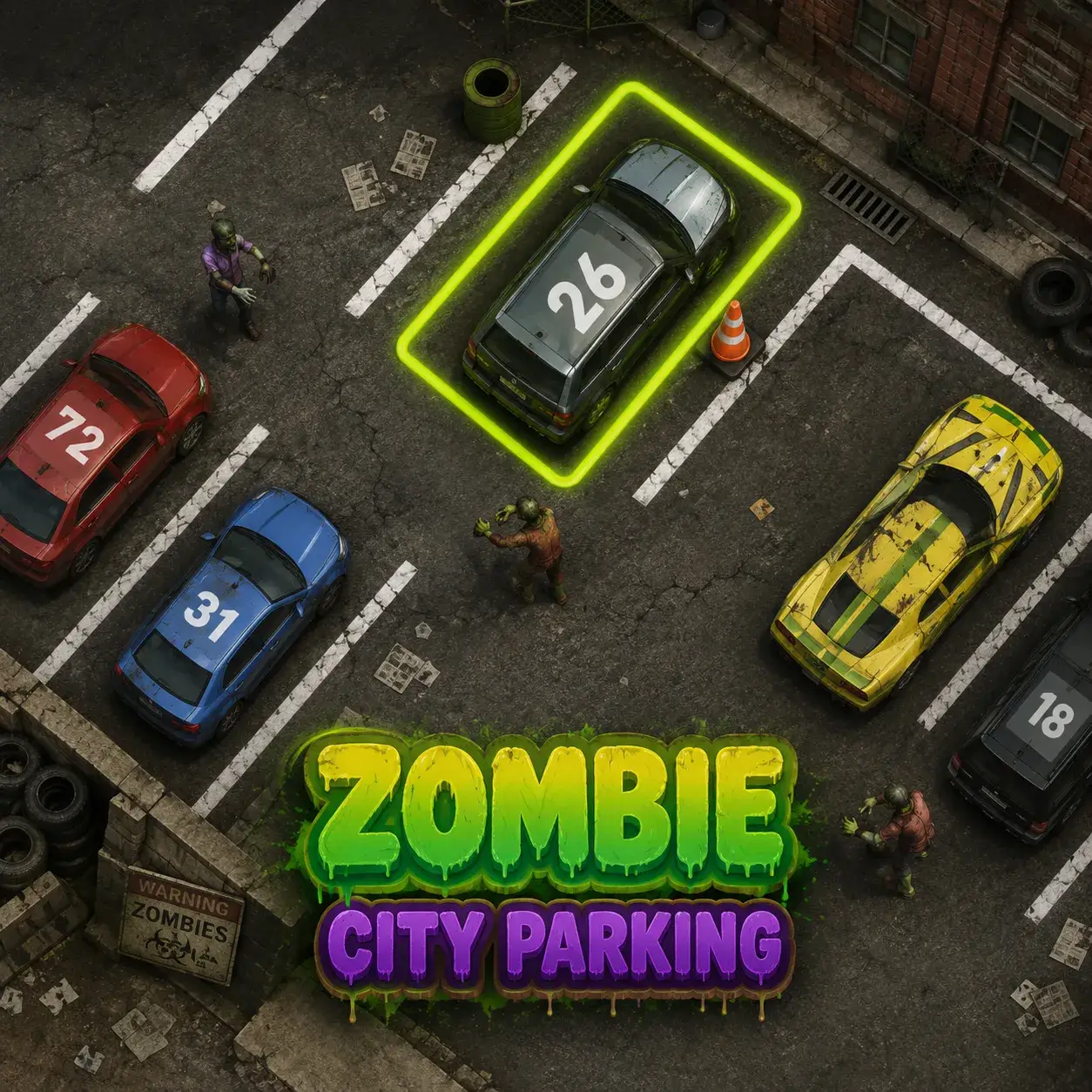
Zombie City Parking
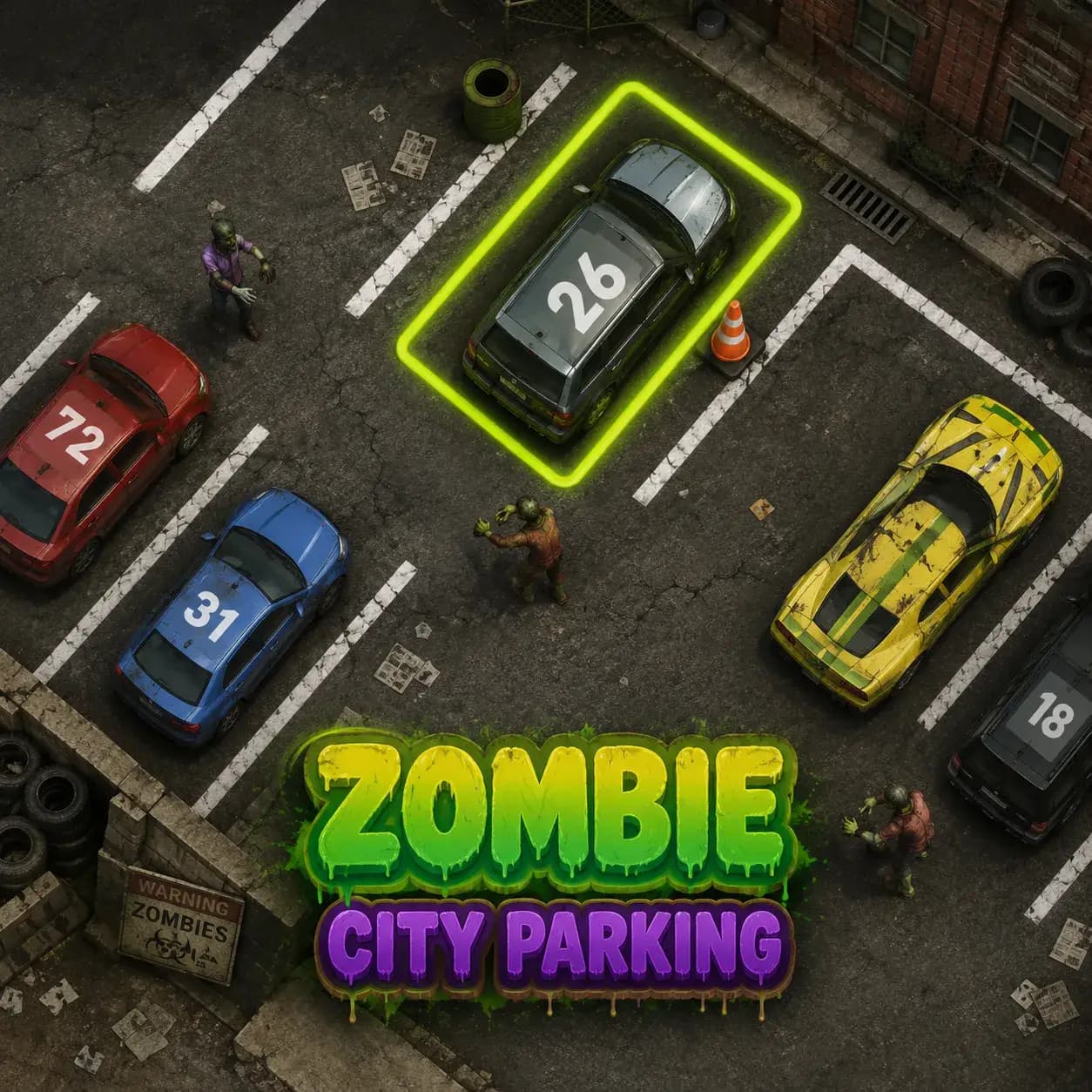
Precision driving meets the apocalypse in Zombie City Parking, the most intense parking simulator you\'ll ever play! Navigate your armored survival vehicle through the debris-strewn streets of a city overrun by the undead. In Zombie City Parking, your mission is to reach the designated safe-zone parking spot without damaging your vehicle or being swarmed by the hungry horde. This isn\'t your typical driving lesson—you\'ll need to weave through abandoned cars, dodge wandering zombies, and master tight maneuvers under extreme pressure. With its gritty atmosphere, challenging level design, and realistic vehicle physics, Zombie City Parking turns a mundane task into a heart-pounding battle for survival. Can you park like a pro while the world ends?
What is Zombie City Parking?
Zombie City Parking is a skill-based driving game that emphasizes control, timing, and spatial awareness. The gameplay revolves around \'Precision Pathfinding\'—you must identify the safest route to your destination while managing your vehicle\'s speed and orientation. This game introduces \'Active Hazards\', where zombies will actively move toward your car, requiring you to adjust your approach on the fly. As you progress through the city\'s 30 sectors, you\'ll earn \'Scrap Metal\' which can be used to upgrade your vehicle\'s handling, add protective spikes to your bumpers, and unlock faster, more agile survival rigs. With its detailed urban environments and increasing difficulty, Zombie City Parking is the ultimate test of your arcade driving skills.
How to Play
Drive to the Spot
Use the WASD or Arrow Keys to control your vehicle. Follow the glowing yellow arrows on the ground to find your designated parking space.
Park Perfectly
Once you reach the spot, align your vehicle within the yellow boundary lines. You must stay centered and stationary for 3 seconds to clear the level.
Avoid the Horde
Keep your distance from zombies! If too many swarm your vehicle or if you hit a \'Brute\' zombie, your car will take damage and eventually fail.
Mind the Debris
The city is filled with crashed cars and barricades. Hitting these will damage your vehicle\'s health. Too many collisions will result in a game over.
Use Your Camera
Press the Spacebar to switch between different camera angles, including a top-down view that helps with particularly tight parking spots.
Upgrade for Survival
Between levels, visit the Garage to improve your vehicle\'s turn radius and acceleration, making it easier to dodge the undead.
Controls Guide
Drive and steer your survival vehicle.
Handbrake for sharp turns and quick stops.
Change camera view (Top-down, Follow, Dashboard).
Restart the current parking challenge.
Pause the game and view level objectives.
Game Features
Challenging Apocalypse Physics
Experience realistic vehicle handling on slippery, blood-slicked roads and uneven urban terrain.
Intense Zombie Atmosphere
Navigate through 30 detailed levels filled with dynamic fog, flickering lights, and roaming undead threats.
Customizable Survival Rigs
Unlock and upgrade 5 different armored vehicles, each with unique handling characteristics and defensive stats.
Multi-Angle Camera System
Master the most difficult parking spots using a variety of camera perspectives designed for maximum precision.
Progressive Difficulty
Challenges evolve from simple street parking to complex multi-stage maneuvers in crowded, zombie-dense industrial zones.
Tips & Tricks
Take it Slow
In Zombie City Parking, precision is more important than speed. Use gentle taps of the accelerator to maneuver into tight spots.
Watch Your Tail
Zombies often approach from the rear while you\'re focused on the parking spot. Use the rear-view camera to stay aware of your surroundings.
Use the Handbrake
The handbrake is essential for \'swinging\' your car into parallel parking spots when you\'re being chased.
Stay in the Light
Visibility is better under streetlights. Try to plan your route through well-lit areas to avoid hitting hidden debris.
Upgrade Handling First
A better turning radius is your best defense. Prioritize steering upgrades to make the most difficult levels much easier.
Why You'll Love It
Zombie City Parking is a unique and thrilling twist on the classic parking genre that will keep you on the edge of your seat. It takes the quiet concentration of a simulator and injects it with the high-stakes tension of a horror game. You\'ll love the sense of relief that comes with perfectly sliding into a parking spot just as a horde closes in. The game\'s progression is masterfully handled, constantly introducing new environmental challenges that test your driving mastery. With its gritty visuals, immersive sound design, and rewarding skill-based gameplay, Zombie City Parking is a must-play for anyone who thinks they\'ve seen everything the driving genre has to offer!